AI Inbox Automation for Business Operations
HEIDI turns high-volume Gmail and Outlook inboxes into operational workflows — triaging messages, researching company knowledge, drafting replies, and moving work across your systems.
Selected email analysis
Urgency: HighTechnical question — Product X upload timeout
Intent
Technical support
Urgency
High
Owner
Support Ops
Next step
Send grounded reply, log in CRM
Thread summary
Customer reports recurring upload timeout on Product X, references an attached document, and needs a clear operational next step before the support window closes.
Grounded draft + actions
Sources visibleDraft preview
Pending approvalThanks for the details. Based on the Product X manual and your attached document, the timeout usually means the upload needs to be retried after validating the contract format. I can prepare the next steps and update the support record.
Sources used
Will trigger after approval
The problem
Your inbox is not communication anymore. It is operational work.
AI inbox automation means using AI to classify, summarize, research, draft, route, and trigger follow-up work from inbound business email while keeping permissions and approvals intact.
Requests arrive as conversations
Support questions, approvals, attachments, customer follow-ups, and exceptions arrive in the same inbox.
Answers depend on context
Teams search manuals, PDFs, SOPs, contracts, and previous decisions before they can respond safely.
The work continues elsewhere
The reply is only one step. Records, tickets, escalations, and workflows still need to be updated.
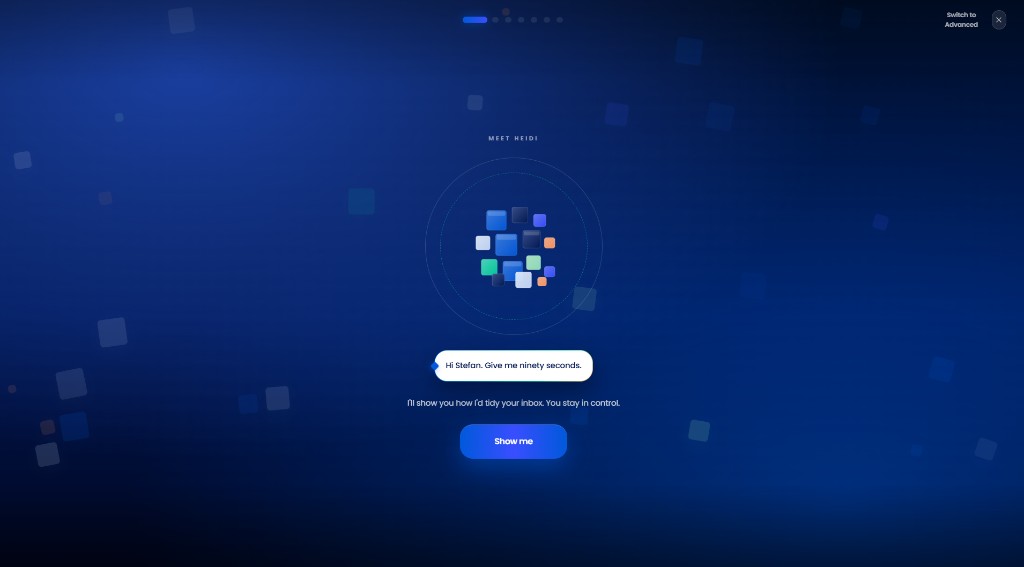
Product workflow
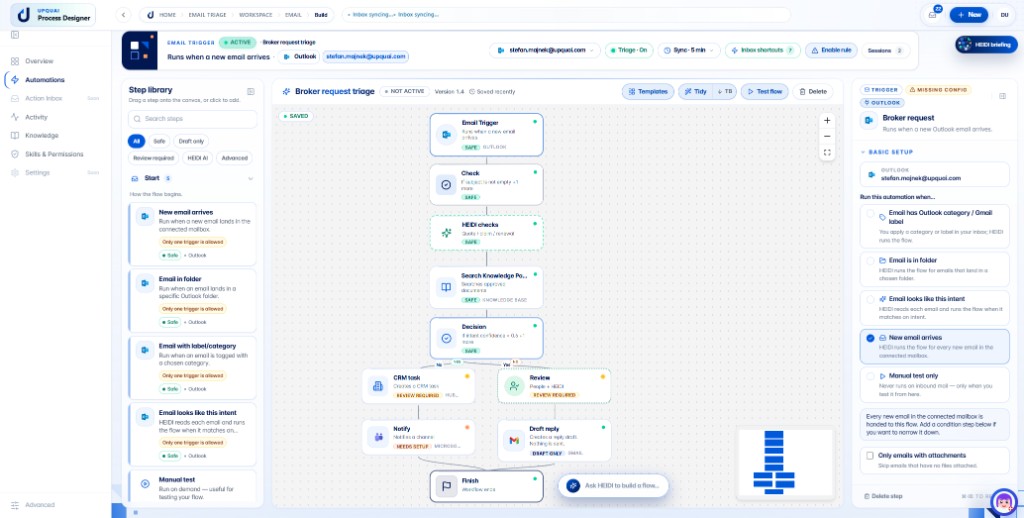
From inbox message to completed operational work.
HEIDI Workspace is designed to turn inbound emails into structured work: classify the need, retrieve the right knowledge, prepare a response, ask for approval when needed, and update the systems around the inbox.
Incoming email
Classify intent and urgency
Retrieve documents and SOPs
Draft grounded answer
Approve or auto-send if allowed
Update CRM or ticket
Escalate to Slack or Teams
Trigger workflow or browser action
Capabilities
One workspace for repetitive inbox operations.
HEIDI is designed around operational email work: understanding the message, grounding the answer, routing the action, and keeping people in control.
Email triage
Sort incoming work into clear operational buckets.
Thread summaries
Condense long conversations into decisions, risks, and next steps.
Grounded draft replies
Prepare replies with visible sources from approved knowledge.
Technical question answering
Use manuals, SOPs, PDFs, contracts, and previous context.
CRM and ticket updates
Can be configured to keep connected systems current.
Slack/Teams escalation
Route urgent items to the right team channel when connected.
No-code automation flows
Trigger governed workflows from the inbox.
Browser-agent actions
Designed to help with browser-based follow-up work where APIs are not enough.
Voice instructions
Tell HEIDI what to summarize, draft, escalate, or prepare.
Daily briefings
Prepare a focused view of urgent emails and pending approvals.
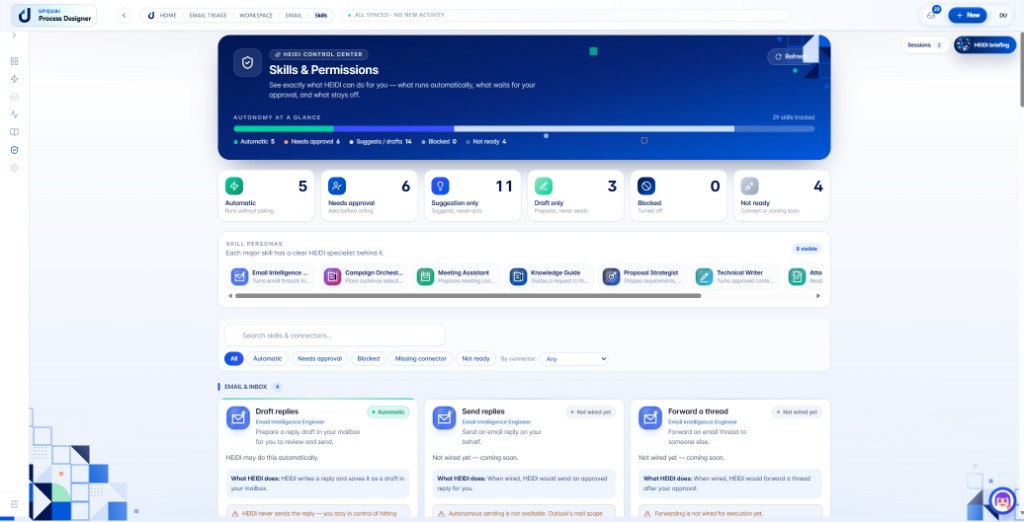
Permissions and approvals
Respect team rules before sending or acting.
Tone/character control
Adapt drafts to the user’s style where appropriate.
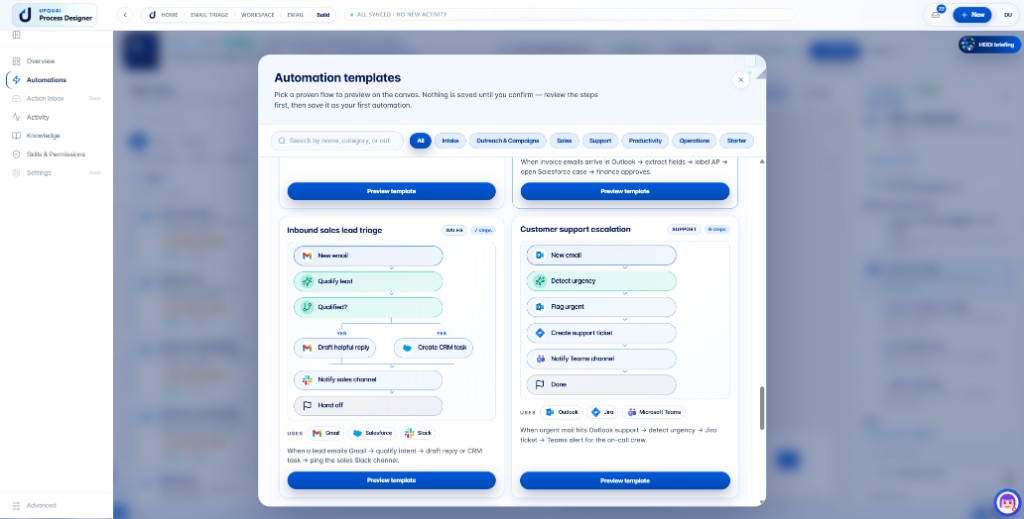
Automations
Start from templates, then govern on the canvas.
Choose inbound sales, support escalation, or intake flows from the template gallery. Preview every step on the visual builder before saving your first automation.
Before
Humans operate the inbox by hand.
- Manual sorting across crowded inboxes
- Repeated answers written from scratch
- Searching documents before every reply
- Copying context into CRM records
- Urgent emails missed until someone checks
After
HEIDI prepares the operational work.
- HEIDI prepares the reply and next step
- Work is routed to the right owner or channel
- Connected systems can be updated after approval
- Sources and evidence stay visible
- Approval is requested when rules require it
Positioning
Why normal AI email assistants are not enough.
HEIDI is built for operational inbox work, not just personal productivity. It is designed to connect email decisions to company knowledge, permissions, and follow-up actions.
Personal AI email assistants
Useful for individual productivity, but usually not enough for team permissions, operational routing, and system updates.
Native suite copilots
Helpful inside one productivity suite, but operational work often spans documents, CRMs, tickets, Slack, Teams, browsers, and workflows.
No-code automation tools
Strong for rules and connectors, but email work also needs context, judgment, draft quality, and human approval.
Helpdesk tools
Good for structured support queues, but many operational emails still start in Gmail or Outlook and require broader company knowledge.
Use cases
Built for teams where email carries real work.
Start with one high-volume inbox, connect the knowledge HEIDI should use, and define where approval is required before automation acts.
Technical support inbox automation
Discuss this inbox workflow with the HEIDI Workspace team.
Book a demoCustomer support inbox automation
Discuss this inbox workflow with the HEIDI Workspace team.
Book a demoSmall business inbox automation
Discuss this inbox workflow with the HEIDI Workspace team.
Book a demoSaaS support automation
Discuss this inbox workflow with the HEIDI Workspace team.
Book a demoAgency inbox automation
Discuss this inbox workflow with the HEIDI Workspace team.
Book a demoProfessional services inbox automation
Discuss this inbox workflow with the HEIDI Workspace team.
Book a demoOperations inbox automation
Discuss this inbox workflow with the HEIDI Workspace team.
Book a demoGrounding
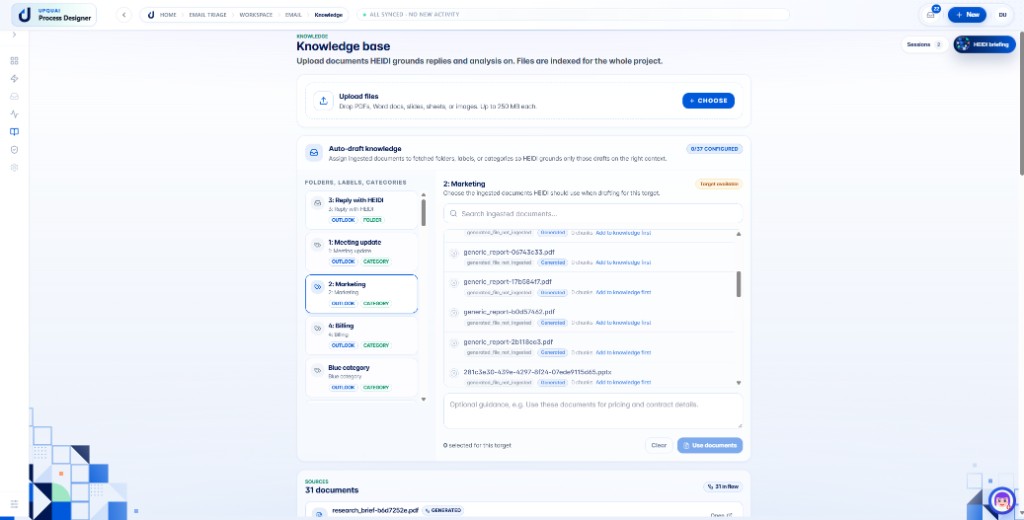
Replies grounded in your operational knowledge.
HEIDI can use approved documents, SOPs, manuals, policies, previous context, attachments, and knowledge graph relationships to prepare reliable answers for review.
Automation with human control.
HEIDI Workspace is designed for approval-aware automation: human review, permission levels, auditability, visible evidence, and safe auto-replies only when permissions and setup allow it.
Instruct HEIDI by voice.
Use voice instructions to ask for summaries, grounded drafts, escalations, CRM notes, and approval overviews while staying in the flow of work.
“Summarize today’s urgent emails.”
“Draft an answer using the technical manual.”
“Escalate this to support.”
“Create a CRM note and prepare a reply.”
“What needs my approval today?”
Explore the cluster
Go deeper on inbox automation, function by function.
Foundations
Actions
Integrations & filing
HEIDI Workspace · Early adopter deal
Fair pricing. You pay for usage, not licenses.
A setup at a special price, a package with included HEIDI Credits, and transparent billing as usage grows — plus a risk-free start.
Onboarding & Setup
One-time setup: mailbox connection, HEIDI persona, knowledge grounding, and a first automation.
Guided onboarding, not a months-long integration project.
- Outlook or Gmail connection (read-only first)
- HEIDI persona & writing style configured
- Knowledge grounding (FAQs, SOPs, content) with source citations
- First triage automation set live
HEIDI Workspace
The ongoing package — including credits for your daily use.
Suggested price · cancel monthly · excl. sales tax
- 5,000 credits / month included — fair pay-as-you-go after that
- Triage, grounded draft replies & action inbox
- @HEIDI commands, voice & daily briefings
- Approval gates, audit log & budget limits
- Connectors to CRM, Slack/Teams, SharePoint and more
Suggested early adopter pricing · excl. sales tax · confirmed in your individual offer.
Token & usage pricing
More usage? Just top up credits.
You start with the included credits. If you process more, you top up easily — with volume discounts and a real-time overview in the workspace.
Credit packages to top up
Transparent, no surprises. Budget limits and usage display are built into the workspace.
$0.100 per credit
$0.085 per credit · 15% saved
$0.075 per credit · 25% saved
What is a credit? An abstracted billing unit for AI work — such as analyzing an email, grounding it in your knowledge, and preparing a draft reply. Demanding tasks (long documents, multi-step automations) use more, simple ones use less. Auto top-up is optional. Prices are a suggestion, excl. sales tax.
Risk-free start
Get convinced first, then pay
Getting started should feel safe. That is why there is a free phase — and a bonus if you share your experience.
Guided start with no usage costs
In the especially sensitive early phase you use HEIDI free for one month. We configure, observe, and fine-tune together — read-only first, nothing goes out unchecked.
For a short review video
If you agree to be a reference customer and share your experience in a short review video, we grant two months of free usage in total.
How billing works
Clear, predictable, no fine print
Setup
One-time $2,000 (instead of $4,000). Connection, persona, knowledge, first automation.
Free phase
1 month free — 2 months if you give a review video. Full functionality, no risk.
Package starts
$490 / month with 5,000 included credits for ongoing operation.
Usage scales
Processed more? Top up credits with volume discounts. Budget limits protect against surprises.
Frequently asked questions
Good to know
What happens when the included credits are used up?
Do unused credits expire?
Does the setup discount apply permanently?
How do I get the two free months?
Are the prices binding?
What about larger teams or special requirements?
AI inbox automation FAQ
Answers for teams evaluating HEIDI Workspace for Gmail, Outlook, support inboxes, grounded replies, and approval-aware automation.